The app
Every plant you own, written down properly.
VLH: Your Plant Collection is a free catalogue for houseplant collectors, made here at Velvet Leaf House. It holds what a collector actually wants to remember — where a plant came from, what it cost, when it was last watered, which cuttings came off it — and the Alocasia library from this site comes built in.
What it is
Built for a collection that outgrew the notes app.
Most collections start as a list. Then the list needs the date, and the seller, and the price, and which of the three Frydeks this one was, and whether the wet stick on the windowsill ever rooted. At some point the list stops being a list.
This is the same list, built properly. Every plant gets its own page: up to five photographs, genus, species and variegation, the purchase details, the substrate, the location, a watering interval, and a number that stays with it for as long as you keep it — and afterwards, in the archive.
It is free, it runs on iPhone, iPad and Android, and it was written for one particular reader: someone who knows the difference between albo and aurea, and who would rather look something up than guess.
-
01
Catalogue
Genus, species or cultivar, variegation, up to five photographs, and the purchase record underneath: date, price, seller, shipping.
-
02
Keep it growing
A watering interval per plant, one quiet reminder in the morning, and a substrate and repotting record you can find again in a year.
-
03
Pass it on
Wet sticks, corms, pups and divisions tracked as batches, marked for sale or for trade, and recorded when they leave.
A look inside
Four screens.
The app uses the same dark palette as this site, with a light mode if you prefer one.
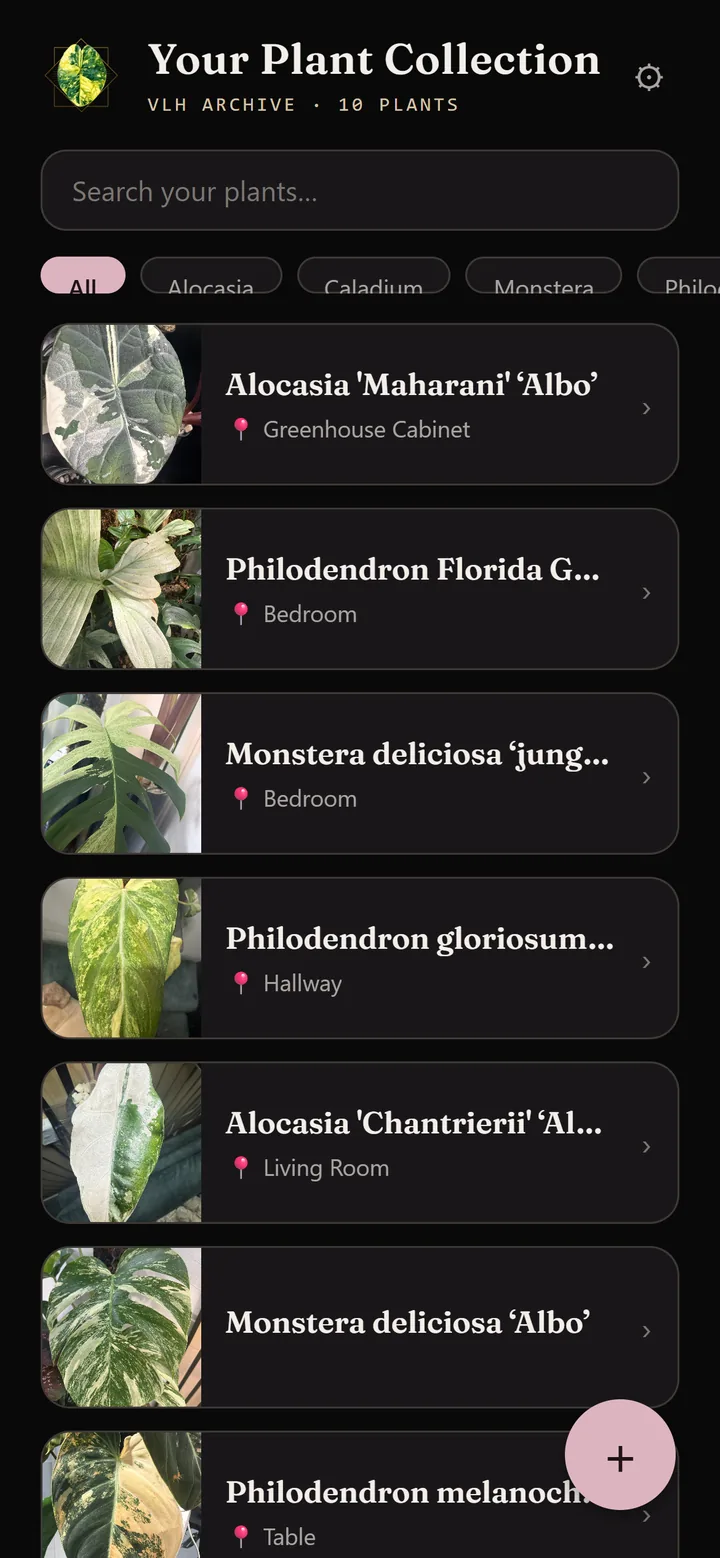
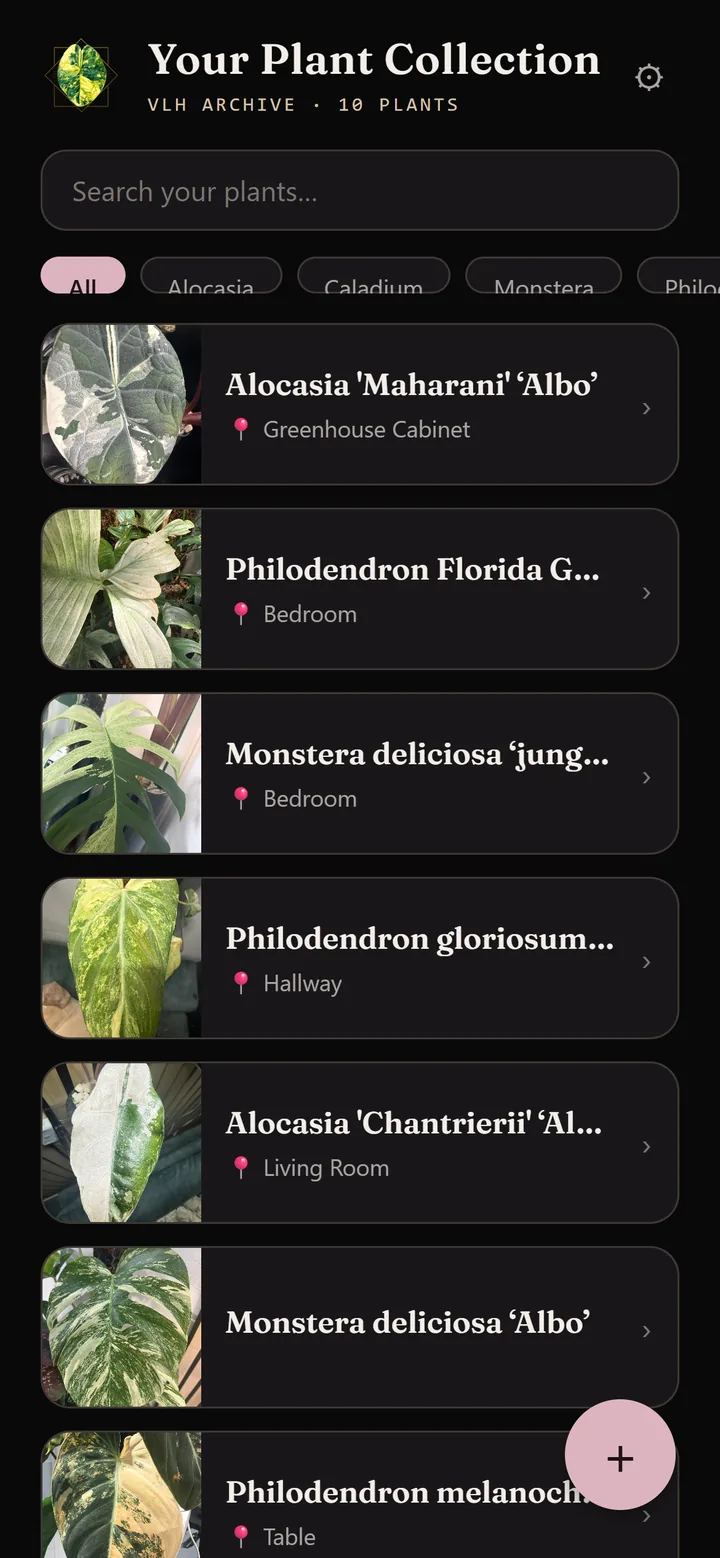
Everything you own in one list, searchable, with a genus filter and a photograph on every row.
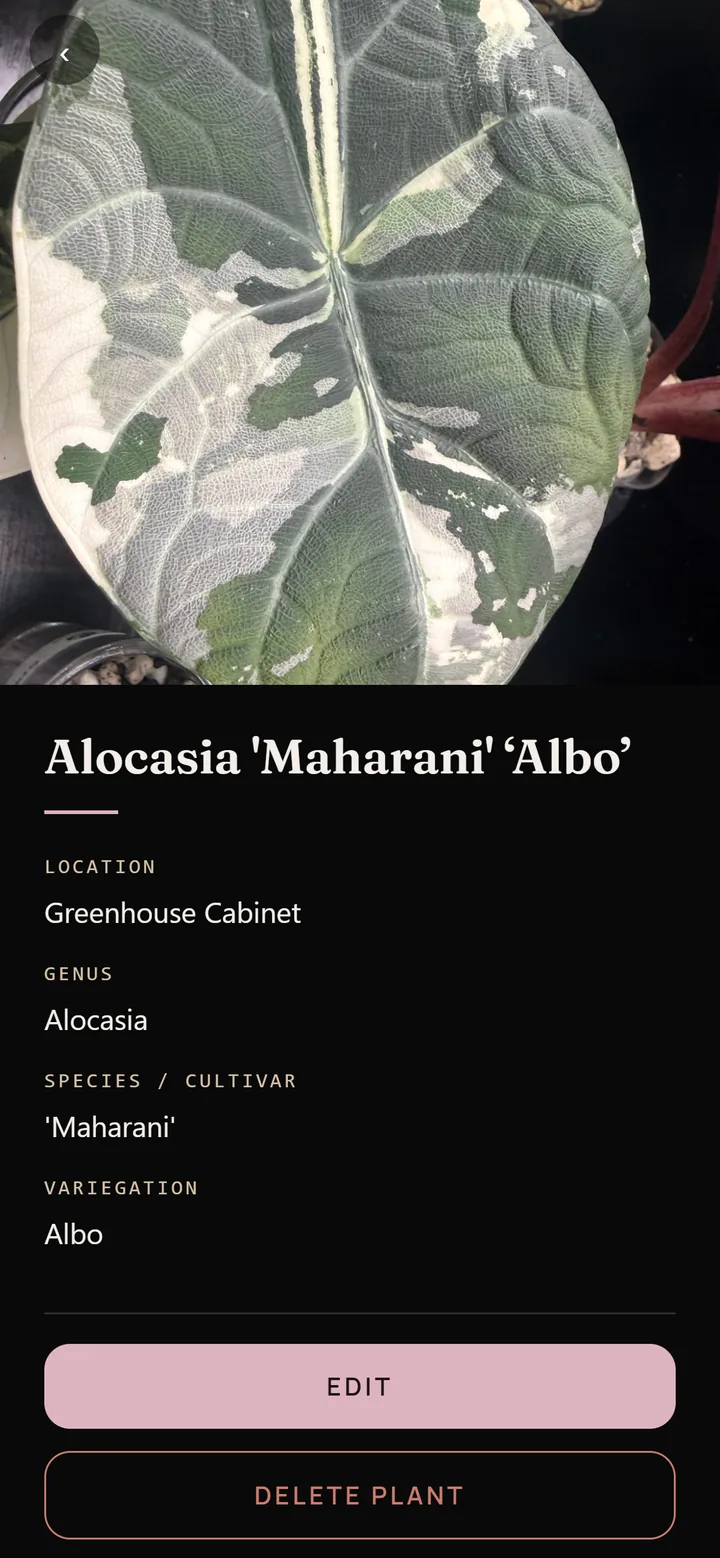
Every field you recorded, the photographs, and the buttons that matter: watered today, propagate this, it left my collection.
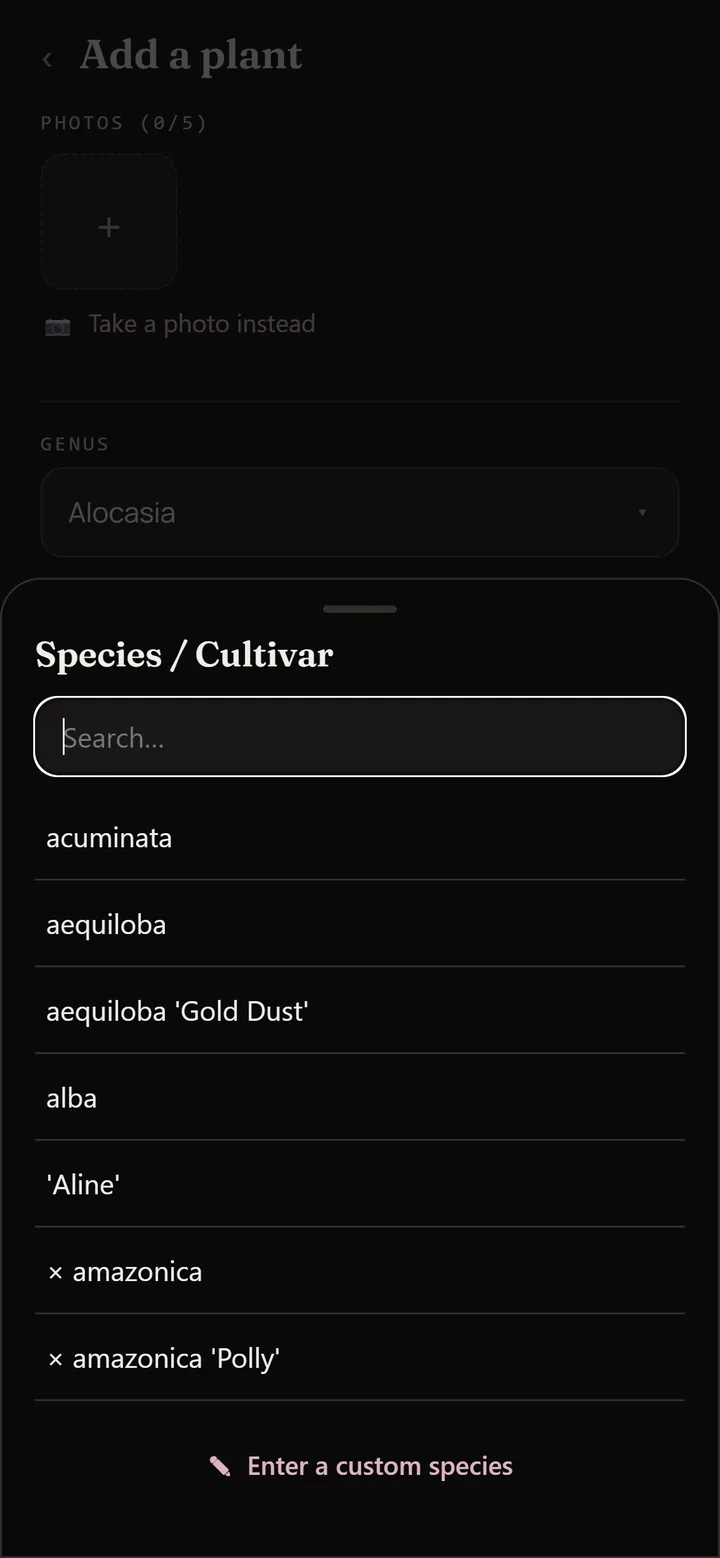
The archive from this website, with your own plants marked off against it.
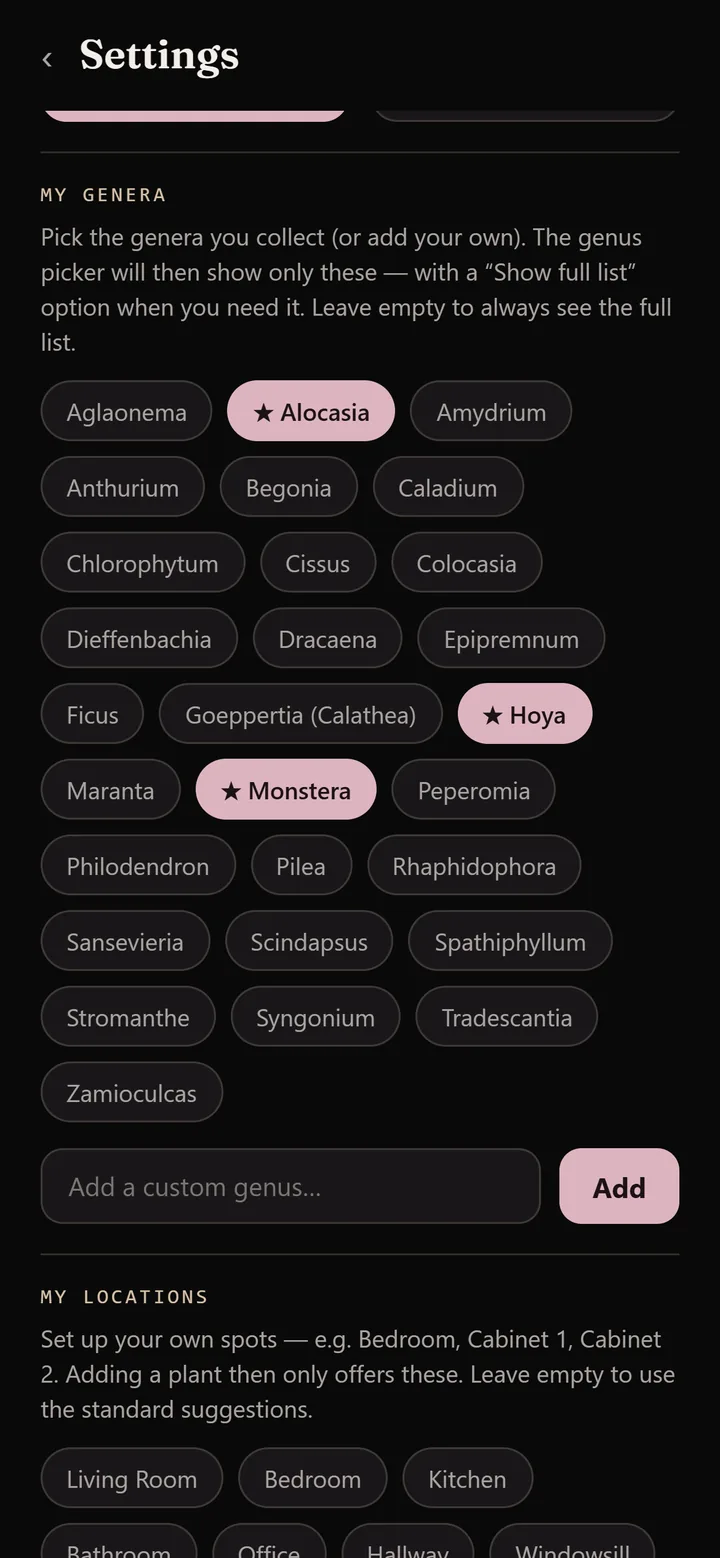
Dark or light, and a note of which genera you collect, so the pickers offer yours first.
Features
What it keeps track of.
Everything below is in the shipped app, version 1.3.0.
Your catalogue
- Up to five photographs per plant, from the camera or your photo library
- Genus, species or cultivar and variegation from curated lists — 28 genera, more than 400 species and cultivar entries, more than 50 variegation forms
- Anything can also be typed in freely: your collection, your names
- The purchase record: date, price, who you bought it from, where, and the shipping
- Substrate, last repotting, location, care instructions and your own notes
- Search the whole collection at once and filter by genus with one tap
Watering, and the auctions
- A watering interval in days per plant, the list ordered most urgent first
- Overdue, today and upcoming in plain words, with the location on every row
- One reminder a day at nine, saying how many plants are due — not one per plant
- A small calendar of upcoming plant auctions
- A reminder fifteen minutes before an auction starts
- An announcement pasted from a group chat is read for title, date and time
Propagation, counted properly
- Cuttings recorded as batches with a quantity, not one entry per piece
- Nine types: wet stick, unrooted and rooted cutting, stem cut, corm, pup, seedling, division, whole plant
- Four stages, worded to match the type — a wet stick is rooting, a corm is sprouting, a seedling germinating
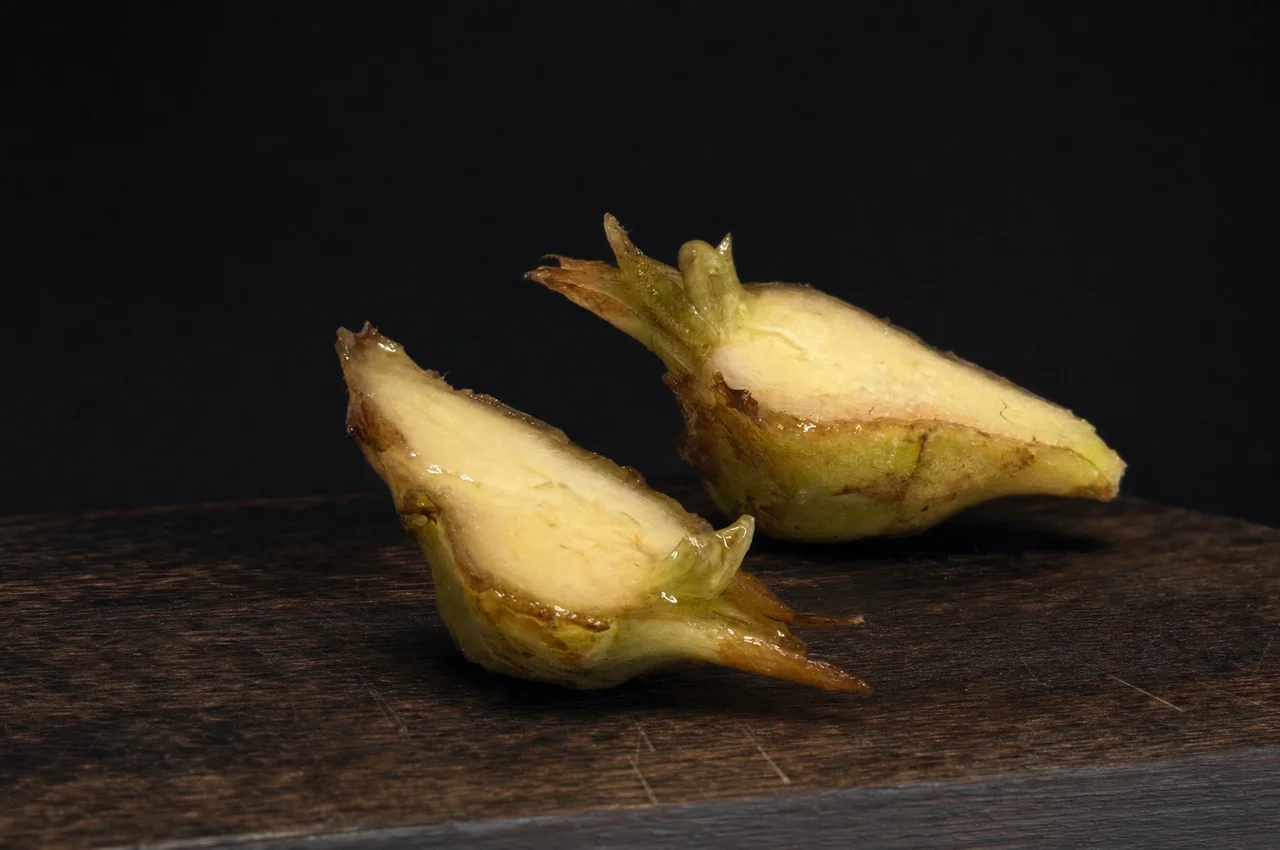
- Corms recorded as whole, halved or quartered, shown wherever the batch is named
- The remaining count kept for you, with sold, lost and kept pieces subtracted
- Keep one for yourself and it becomes a plant in your collection, mother plant linked
For sale, for trade, and what it came to
- Mark a plant for sale or for trade, or several at once, each list with asking prices
- A batch carries its own offer switch, independent of the stage it is at
- Record what you sell, trade or give away, with postage and fees
- Selling a whole plant moves it into the archive by itself
- A ledger totalling what the collection cost, what it brought in, and how much of itself it has paid for
- A personal overview — not bookkeeping, and not tax advice
The library, and the wishlist
- The Velvet Leaf House Alocasia library built in, with classification and photograph
- Every entry marked against your own plants: owned, wished for, or still missing
- Filter by all, owned, wishlist or missing, with a counter and a progress bar
- Add an entry straight to your collection with genus, species and variegation filled in
- A wishlist for the grails, with the price and where you saw it
- When one finally arrives, a single tap moves it into the collection
Documents you can send
- Three PDFs: your collection, what it cost you, and your sales with a balance
- The shareable one cannot contain what you paid, who you bought from, or your notes
- Choose the scope, the sort order, and whether photographs and prices are included
- Available cuttings listed with their type, stage and remaining count
- Any plant exported as an archival plate for Instagram, in the dark palette
- Everything is made on your own phone and handed to your usual share sheet
The Alocasia Library
The archive you are reading, in your pocket.
The Alocasia library on this website is built into the app, and the app marks it against what you already grow.
Open the library and every entry carries a small mark: a tick for the ones on your shelf, a star for the ones on your wishlist, nothing for the ones still missing. A counter at the top says how far through you are. Filter it down to missing before an auction, or to owned when someone asks what you actually have.
Tap an entry and you can add it straight to the collection or to the wishlist, with the genus, species and variegation already filled in, and the form hands you back to the library afterwards so a run of additions is not interrupted.
The entries travel with the app rather than being fetched each time, which means the library works when the signal does not — and it means the list grows with app releases rather than the moment a page changes here.
Free guide
Corm Splitting, at the potting table.
The whole corm splitting guide is inside the app: six numbered steps, the weeks after the cut, the first leaf, and sixteen photographs of the real thing.
Field notes on the knife, on orientation, and on what to do without a tank. A ratio card you can read with wet hands. The photographs are part of the app rather than downloaded, because the guide is read at the potting table and the potting table is not always where the signal is.
Free · Built into the app
Prefer it on paper? The same guide is on this site as a PDF — get the free download.
Download
Free, on both stores.
Version 1.3.0, for iPhone, iPad and Android. In the stores it is listed as VLH: Your Plant Collection; on your home screen it appears as VLH Plants.
App Terms & Conditions · App Privacy Policy · Delete your account · Questions: contact@velvetleafhouse.com